
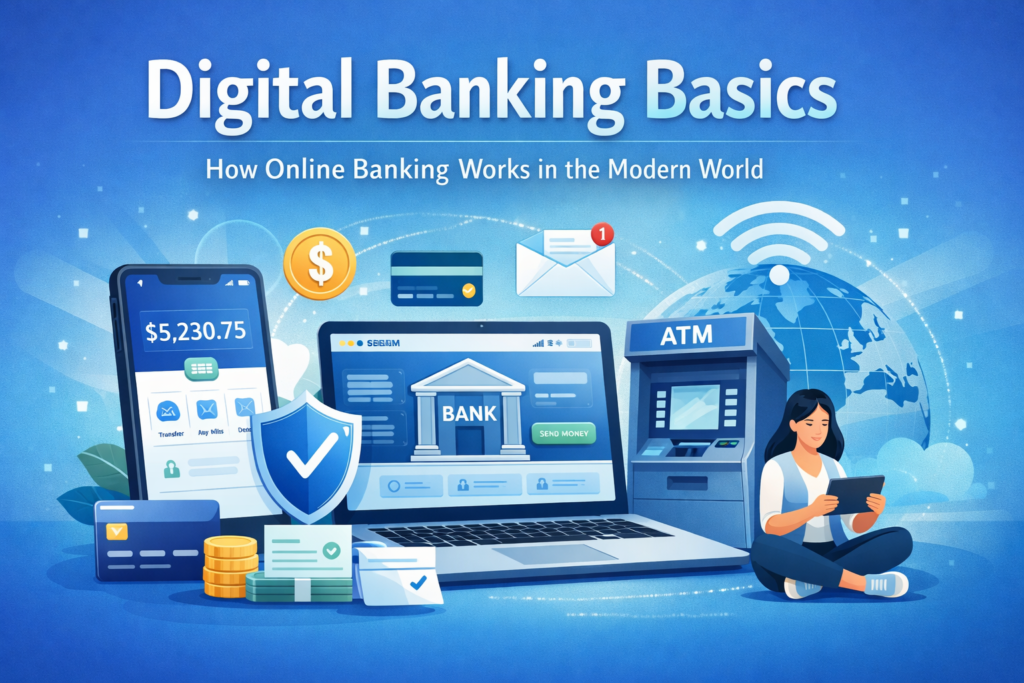
I’ve noticed many people feel confused about how online banking works, especially if they’re used to traditional banks. In this guide, we’ll explain the digital banking basics – what digital banking is, how it works, and why it has become the norm in today’s modern world. By the end, you’ll understand how you can manage your money without ever visiting a branch. We’ll cover what digital banking means, how to open and use an online bank account, core features of mobile and online banking, the differences between digital-only and traditional banks, basics of fees and limits, using your account internationally, and some key banking terms. Each section will give you a clear overview and point you to more detailed articles (linked throughout) for deeper information. The tone here is calm, neutral, and beginner-friendly – no hype, just clear explanations to help you feel confident about managing money online. Let’s start with the most basic question: what is digital banking?
Table of Contents
Understanding Digital Banking Basics
At its core, digital banking means doing your banking through digital channels – primarily via the internet on a computer or smartphone – instead of visiting a bank branch. In the past, if you wanted to deposit a check or check your account balance, you had to go see a teller at a “brick-and-mortar” bank. Those physical branches were once the only way to access banking services. Today, however, modern technology lets us manage our finances remotely from anywhere. Essentially, digital banking lets you do everything you’d do at a bank – like view your balance, transfer funds, pay bills, or deposit checks – online through a bank’s website or mobile app.
How It Evolved: Digital banking didn’t appear overnight. It has evolved over decades as technology advanced. For example, automated teller machines (ATMs) first appeared in the late 1960s, allowing customers to withdraw cash after hours – a first step toward banking beyond the branch. By the mid-1990s, the first banks began offering internet banking websites, letting customers check balances or transfer money online. The introduction of smartphones in the late 2000s then put banking in everyone’s pocket through mobile apps. From what I’ve seen, most confusion starts with understanding that digital banking is simply regular banking done through electronic means. It’s not a separate kind of banking – it’s the same bank accounts and money, just accessed via your computer or phone instead of through a teller.
Key Features: There are a few key qualities that make digital banking so popular today. It offers convenience (you can bank 24/7 without travelling to a branch), speed (many transactions are instant or faster than mailing paperwork), and real-time information (you can see your account status and transactions immediately). For example, if you get paid by your employer via direct deposit, you can log in online to see the money in your account right away. Online and mobile banking also tend to be affordable and accessible, often with lower fees than traditional services and with features that help you track your finances. As the FDIC (a major U.S. bank regulator) notes, digital banking’s key features are convenience and instant access, which help people understand their finances in real time. Whether your bank has physical branches or not, digital banking enables you to deposit checks, transfer money, and even pay friends or family electronically, all from your home or on the go. In short, digital banking is about bringing the bank to you. (For a deeper dive into this concept and how banking shifted from branch tellers to online platforms, see our detailed article [What Is Digital Banking?].)
Opening and Managing an Online Bank Account
One of the biggest changes in the modern banking world is that you can open a bank account online without ever stepping foot in a bank. From what I’ve seen, many first-time users worry that opening an account online might be complicated or less secure, but it’s actually a straightforward process. Typically, you visit the bank’s website or download their mobile app, click “Open an Account,” and fill out a digital form with your personal details. Banks will ask for the same information they would in person (like your name, address, date of birth, and government ID details) to comply with identity verification rules. You might need to provide an ID number (like a passport or driver’s license) and sometimes a selfie or scanned copy of your ID for verification. This is part of standard banking security called Know Your Customer (KYC), ensuring you are who you claim to be. Once approved, you’ll set up secure login credentials – usually a username and a strong password – so you can access your account online. Some banks may require an initial deposit, which you can fund by linking another bank account or using a debit card.
Managing Your Account Day-to-Day: After opening your online bank account, managing it is easy through digital banking platforms. You’ll log in to your account through the bank’s website or mobile app using the credentials you created (often with an extra security step like a one-time code sent to your phone, known as two-factor authentication). Once logged in, you can see your account dashboard with your balance and recent transactions. From there, all the everyday banking tasks can be done electronically:
- Checking Balances and Statements: You can view your current balance anytime, and download or print electronic statements (e-statements) for your records. No more waiting for a paper statement in the mail.
- Transferring Money: Need to move $50 from your checking to your savings? You can transfer funds between accounts with a few clicks. You can also send money to other people’s accounts through online transfer features or linked services.
- Paying Bills: Online banking lets you set up bill pay to pay companies or individuals. For example, you can schedule your rent, utilities, or phone bill to be paid each month from your account. This means no writing checks or visiting payment offices – the bank sends out the payment for you electronically.
- Depositing Checks: If someone gives you a paper check, you don’t have to visit a branch to deposit it. With most mobile banking apps, you can use mobile check deposit – you simply take photos of the check with your phone, and the app uploads them to the bank. The funds then go into your account (after the bank’s standard clearing time).
All of these tasks can be done anywhere you have an internet connection. For instance, you could deposit a check from your kitchen table or transfer money while you’re travelling abroad. Another advantage is that you can often open additional accounts online as needed (like a savings account or a second checking account) without paperwork – many banks allow existing customers to do this through the app or website. If you have questions or issues, you typically can contact customer service through online chat, email, or phone. While you won’t be talking to a teller face-to-face, help is usually available through digital channels. In summary, managing an online bank account is designed to be user-friendly and does not require any special technical skill beyond basic web or smartphone use. Our guide [Opening and Managing an Online Bank Account] provides a step-by-step overview of setting up an account and covers tips for creating secure passwords and navigating your bank’s online interface.
Mobile vs. Online Banking: Core Features Explained
You might hear the terms online banking and mobile banking. They are closely related, and both are part of the digital banking basics. In fact, they refer to two ways of doing the same thing: managing your bank accounts through the internet. The difference lies in the device or platform: online banking typically means using a bank’s website through a desktop or laptop computer, while mobile banking means using the bank’s smartphone app or a mobile-optimised website on your phone. In practice, banks ensure that whether you use a computer or a phone, you have access to the same core features of digital banking. Here are some common features you can expect from both online and mobile banking:
- 24/7 Account Access: You can log in anytime, day or night, to check your accounts. There’s no need to wait for business hours – your balance and transactions are available on demand.
- Real-Time Transaction Monitoring: Both online and mobile banking show your latest transactions (deposits, withdrawals, card purchases, etc.) almost instantly. For example, if you use your debit card to buy groceries, you can see the charge appear on your account shortly after. This real-time update helps you keep track of spending.
- Funds Transfer and Payments: As mentioned earlier, you can move money between your own accounts or send money to others. Many banks integrate peer-to-peer payment options (for sending money to friends or family by email/phone number) into their digital platforms. Whether you’re on the website or in the mobile app, you can typically initiate transfers, pay bills, and even send money instantly to others if your bank supports a service like Zelle or another P2P platform (all without handling cash).
- Mobile Check Deposit: This feature is usually accessed via the mobile app (since it uses your phone’s camera). You endorse the back of the paper check, take a photo of the front and back in the app, and submit. Within the app, you’ll get confirmation that the deposit is received, and later, the check amount will appear in your balance. This saves a trip to the ATM or branch.
- E-Statements and Documents: Instead of paper statements, you can retrieve your monthly statements electronically. Online banking websites often have a “Statements” section where PDFs of your past statements are available. Mobile apps also usually let you view at least recent statements or transactions. Additionally, any important documents or tax forms the bank provides can often be downloaded online.
- Automatic Bill Pay: You can set up recurring payments for regular bills. For instance, you might schedule your car payment to auto-deduct on the 15th of each month. The digital banking system will then automatically send the payment (either electronically or via mailed check) to the biller, ensuring you don’t miss due dates.
- Alerts and Notifications: Both online and mobile banking allow you to set up alerts. You can get emails or push notifications for things like a low balance, a large withdrawal, or a login from a new device. These alerts help you stay on top of your account’s security and status in real time. For example, I think this part is often overlooked: setting a simple alert for when your balance drops below a certain amount can prevent overdrafts by letting you know you need to top up your account.
- Additional Tools: Many banks include personal finance tools in their digital platforms. These can include spending analysis charts, budgeting tools, or the ability to temporarily lock a misplaced debit card. You might also find options to apply for new services (like loans or credit cards) through the online portal or app.
In short, mobile banking vs online banking is less of a versus and more of a complement – use whichever is convenient at the moment. If you’re at a computer, the online banking website might be easier to navigate for detailed tasks like downloading statements. If you’re out and about, the mobile app is handy for a quick check or depositing a check on the fly. The good news is that banks design their systems so that any action you take on one platform (say, setting up a bill payment on your laptop) will reflect on the other (you can see that scheduled payment in your phone app, too). For a full rundown of features and how mobile apps compare to banking on a computer, check out [Mobile Banking vs Online Banking: Features Explained], which goes into more detail on what you can do on each platform and how to get the most out of them.
Digital-only Banks vs Traditional Banks
As you explore digital banking, you’ll encounter two main types of banks offering these services: digital-only banks and traditional banks. It’s important to understand the difference, because it’s a common point of confusion for beginners. Let’s break it down in simple terms.
- Traditional Banks (with Branches): These are the well-known banks that have physical branch locations and ATMs, but they also offer online and mobile banking. If you already have an account at a big bank or local credit union, chances are you can use their website or app to manage your money – that’s digital banking provided by a traditional bank. Traditional banks give you the option of walking into a branch and talking to a teller or banker if you need in-person service. They often provide services like safe deposit boxes, cashier’s checks, or notary services at their branches – things a fully online service can’t do. Some people like the assurance of knowing there’s a building they can visit and staff they can see face-to-face. These banks make money through various financial products and sometimes charge more fees (monthly account fees, etc.) to maintain all those physical locations and staff. However, they are also investing heavily in their digital platforms, so you often get the best of both worlds: a robust online banking experience plus the option for branch service when necessary.
- Digital-Only Banks (Online-Only Banks): These are sometimes called neobanks or online banks. They operate entirely online with no physical branch offices. With a digital-only bank, everything is done through their app, website, or by phone. You can open accounts and access all services through a website or mobile app. There is usually no in-person support – customer service is via phone, chat, or email, and they might not offer certain traditional services like notarising documents. Why go with a digital-only bank? Generally, because they have some advantages: without the cost of maintaining branches, they often offer lower fees and higher interest rates on savings. Many digital-only banks charge little to no monthly fees, and some even reimburse ATM fees since they don’t have their own ATM network. They often pride themselves on innovative apps and features – for example, very user-friendly interfaces, early direct deposit (getting your paycheck a day or two early), or integrated budgeting tools. However, there are trade-offs. Since they don’t have their own ATMs or branches, depositing cash can be inconvenient (some online banks simply don’t accept cash deposits directly, or they require using third-party services). If you receive a paper check or cash often, you’d handle it through ATMs or mobile deposit, as there’s no teller window.
Safety and Trust: A common worry is whether an online-only bank is as “safe” as a traditional bank. The good news is that reputable digital-only banks are regulated and insured just like the old-fashioned ones. In the U.S., for example, online banks that are FDIC-insured offer the same protection for your deposits as a brick-and-mortar bank. If the bank were to fail, the insurance (up to \$250,000 per depositor, per bank) still applies whether the bank is brick and mortar or online-only. That means your money isn’t inherently at greater risk just because you can’t walk into a building. Of course, you should always make sure any bank (digital or not) is properly insured and legitimate. Regulatory agencies list licensed banks, and many digital-only banks are actually backed by or partnered with established institutions. I think this part is often overlooked: an online-only bank may lack a physical presence, but it must follow the same laws and consumer protection regulations as traditional banks. This includes protection against unauthorised transactions, disclosure of fees, and so on.
Which to Choose? It doesn’t have to be an either-or decision. Some people keep an account with a traditional bank for certain services (or just peace of mind) and also use a digital-only bank for low fees or specific features. What’s important is knowing the differences: digital-only banks excel in convenience and cost, while traditional banks offer in-person services and a local presence. Depending on your needs, you might favour one or a mix of both. Our article [Digital-Only Banks vs Traditional Banks] goes in-depth on the pros and cons of each approach, without promoting any specific institutions, so you can decide what banking style fits you best.
Fees and Account Limits in Online Banking
Just because you’re banking digitally doesn’t mean you can ignore the fine print – fees and account limits still apply in the online banking world. However, understanding them at a high level will help you avoid surprises. Here we’ll explain some common fees and limits that come with digital banking (and how they compare to traditional banking).
Common Fees in Digital Banking: Many online-focused accounts advertise “no fees,” but in reality, there are often some fees in certain situations. The good news is that fees tend to be lower or more easily avoided with digital accounts. Still, be aware of these typical charges:
- Monthly Maintenance Fees: Some banks charge a monthly service fee for checking or savings accounts. This might range from \$5 to \$15 a month. Often, online banks do not charge monthly fees at all, or traditional banks will waive them if you meet conditions (like direct depositing a certain amount or maintaining a minimum balance). Always check your account’s fee schedule so you know if there’s a monthly charge and how to waive it.
- ATM Fees: If you use an ATM that isn’t in your bank’s network, you might face two fees – one from the ATM’s owner and one from your bank. For example, using an out-of-network ATM might cost you \$2–\$3 from your bank, plus whatever the ATM operator charges. Many digital banks try to offset this by either having large free ATM networks or reimbursing a certain amount of ATM fees each month, since they know customers rely on ATMs (due to no branches). Still, if you use cash frequently, plan for possible ATM fees when you’re not at a partner machine.
- Overdraft Fees: An overdraft happens when you spend more money than you have in your account (for instance, if a bill payment goes out but your balance is too low). Traditional banks often charge a hefty overdraft fee (around \$30 or more) per incident. Some online banks have done away with overdraft fees or offer grace periods, but it’s something to be mindful of. It’s best to keep an eye on your balance (with those alerts and instant access, it’s easier now) to avoid overdrawing.
- Transaction Fees: Certain transactions can incur fees. For example, wire transfers (sending money to another bank, especially internationally or same-day) often have fees in the \$15–\$30 range. If you send money abroad, there might be a foreign transaction fee or currency conversion fee. Also, some banks charge for things like bank checks/cashier’s checks or excessive withdrawals from a savings account. While these aren’t unique to digital banking, they still apply. The FDIC suggests checking with your bank about any fees before, say, using your card abroad or performing unusual transactions. In digital banking, fees are usually clearly listed in your account information online – and if you’re not sure, you can search the FAQ on the bank’s site or contact customer service with a click.
Common Account Limits: Banks also put certain limits on transactions for security and regulatory reasons. Here are a few you might encounter in digital banking:
- Daily Mobile Deposit Limit: If you’re depositing checks using your phone’s camera, there is usually a cap on the amount you can deposit per check or per day. For example, a bank might allow a maximum of \$5,000 per mobile check deposit. If you have a check larger than that, you’d need to use an ATM or branch (or deposit it in chunks if possible). These limits protect against fraud and large errors with remote deposits.
- Daily ATM Withdrawal Limit: When withdrawing cash from ATMs, banks often limit how much you can take out in 24 hours (commonly anywhere from \$300 to \$1,000). If you needed, say, \$2,000 in cash, you can’t typically just pull that in one day from an ATM without prior arrangement. Knowing your limit means you can plan ahead (or request a temporary increase from the bank if necessary).
- Daily/Monthly Transfer Limits: Especially with online-only banks, there may be limits on how much you can transfer out to other banks or spend via your debit card per day. For example, there might be a cap like “maximum of 10 external transfers per month” or “can’t transfer more than \$25,000 per day out of the account” for security. These limits vary widely by bank. Many banks will allow you to raise limits if you ask and have a good reason, but by default, they are cautious to prevent fraud.
- Savings Account Transaction Limits: Traditionally (in the U.S.), savings accounts were limited by law to 6 outbound transfers per month (though this regulation has been relaxed). Some banks still enforce a limit on how many times you can move money out of a savings account monthly, to encourage savings behaviour. If you exceed it, you might get a warning or a fee. With digital banking, it’s easier than ever to transfer money, so just keep in mind your account type might have these soft limits.
The key takeaway is to be aware of your account’s fee structure and limits, even if you primarily bank online. Digital banking often gives you handy tools to check these – for instance, many banking apps have a section where you can see your mobile deposit limit or remaining ATM withdrawal limit for the day. By understanding the basics of fees and limits, you can avoid accidentally incurring charges. For example, if you know using an out-of-network ATM will cost \$3, you might decide to get cash at a different place or use your debit card instead. And if you know your mobile deposit limit, you won’t be frustrated trying to deposit a very large check through your phone. We cover this topic in more detail (including tips to minimise fees) in [Online Banking Fees and Account Limits Explained].
Using Your Bank Account Internationally
One of the great benefits of digital banking is that your bank account can travel with you. If you move to another country or just go on vacation abroad, you can still access and manage your money as long as you have an internet connection. Banking has become truly global and convenient – but there are a few things to understand about using your bank account internationally.
Accessing Money Abroad: With an online bank account, you can log in from anywhere to check balances, transfer funds, or pay bills back home. This is extremely helpful for travellers and expatriates. For day-to-day spending in a foreign country, most people use a combination of credit/debit cards and local currency cash. Typically, your debit card (if it’s on a major network like Visa or Mastercard) will work in ATMs worldwide to withdraw local currency. In fact, you can usually get cash in a foreign country from an ATM using the same bank card you use at home. This saves you from carrying large amounts of cash when you travel. It’s wise to carry at least two forms of payment (for example, a debit card and a credit card) in case one isn’t accepted or an issue arises. Also, be sure to know your card’s PIN since you’ll need that at ATMs and sometimes at card terminals abroad.
Foreign Transaction Fees: Before travelling, it’s important to check if your bank charges fees for international usage. Many banks apply a foreign transaction fee (often around 1-3% of the amount) on purchases made in other currencies. There can also be ATM fees for using international ATMs. For example, your bank might charge \$5 per foreign ATM withdrawal, plus a percentage for currency conversion. These fees can add up, so some people choose travel-friendly accounts or credit cards that waive foreign fees. If you’re using a digital-only bank account, see if they offer any reimbursement for international ATM fees or if they partner with global ATM networks. As the FDIC recommends, ask your bank about any ATM or foreign transaction fees they may charge for using your cards at your destination. Knowing this lets you plan – you might decide to withdraw larger amounts of cash less frequently (to incur the ATM fee fewer times), or rely more on a no-foreign-fee credit card for purchases.
Currency Conversion 101: When you use your debit card or withdraw cash abroad, currency conversion comes into play. Let’s say you’re in France and you withdraw €100 from an ATM with your U.S. bank card. Your bank will convert that €100 into USD using the exchange rate at the time, and deduct the equivalent USD from your account. Often, the ATM or payment terminal will offer to do the conversion for you (showing an amount in your home currency) – this is usually called “Dynamic Currency Conversion” and it’s typically better to decline that and let your own bank handle the conversion, because your bank’s exchange rate is likely more favourable. In other words, choose to be charged in the local currency (euros in this example) and let your bank or card network do the conversion on the back-end. This can save you money, as currency exchange kiosks or foreign ATMs might use poor rates. Also note, some foreign ATMs charge a usage fee, and they should disclose it on the screen; you can choose to cancel if it’s very high.
Security When Abroad: When logging into online banking from another country, take extra care. Avoid using public Wi-Fi networks for sensitive logins unless you have a VPN, as public networks can be less secure. Most bank apps have strong security, but it’s on you to ensure you’re on a secure connection. It’s also a great idea to set a travel notice on your account before you go abroad (many banking apps let you input your travel dates and destinations). This way, the bank knows those overseas transactions are likely yours and not fraudulent. Without notice, sometimes banks will freeze or flag your card when they suddenly see charges in a faraway country. Modern fraud detection is pretty good, but it helps to notify them. If your bank offers text or app alerts for transactions, enable those – you’ll get an alert whenever your card is used, which is reassuring when you’re far from home.
Global Use, Local Considerations: Digital banking is generally the same wherever you are – you log in and see your accounts – but keep in mind time zone differences (a transfer you send might process on your home country’s calendar), and that customer support hours might be in your home country’s time zone. Fortunately, many online banks have 24/7 support precisely because customers might be global. Also, remember that while you can manage your account online, if you need to receive money internationally (like a wire transfer from another country), you’ll need to provide details like your IBAN or SWIFT code – which we’ll touch on in the next section on terms.
Using your bank account internationally is a big topic in itself, and if you plan to travel or live abroad, you’ll benefit from reading our article [Using Your Bank Account Internationally]. It covers how to handle currency conversion, overseas ATM networks, and tips for keeping your account secure while enjoying global access to your money.
Essential Digital Banking Terms to Know
As you get comfortable with digital banking, you’ll likely encounter some jargon or abbreviations that can be confusing at first. Don’t worry – every beginner goes through this! Understanding a few essential digital banking terms will help you navigate your online account and financial communications with confidence. Here are some common terms and acronyms you should know:
- Routing Number: A routing number is a banking code that identifies the financial institution in a transaction (in the US, it’s the 9-digit number used for things like direct deposits or ACH transfers). It’s like the bank’s address for sending money to or from your account. If someone asks for your routing number to send you money, they’re typically referring to this code.
- ACH: This stands for Automated Clearing House, which is an electronic network for financial transactions in the United States. When you pay a bill online or receive a direct deposit, it often goes through the ACH system. It’s basically the standard way to send money electronically between banks domestically (as opposed to, say, a wire transfer, which is often faster and used for different purposes).
- SWIFT/BIC: These codes are used for international wire transfers. SWIFT (or BIC) is an international bank identifier code. If you’re receiving money from overseas, your bank will have a SWIFT code (a series of letters and numbers) that the sending bank uses to route the funds to your bank. It’s like the international routing code.
- IBAN: Stands for International Bank Account Number. It’s used in many countries (especially in Europe) as a standardised international bank account identifier. If you’re sending money to someone in Europe, they might give you their IBAN, which contains their country code, bank info, and account number all in one string. U.S. banks don’t use IBAN for domestic transfers, but they can provide an IBAN for their accounts if receiving money from IBAN-using countries.
- PIN: Common but important – Personal Identification Number, the numeric passcode you use for your debit card at ATMs or checkouts. Even in digital banking, you’ll use a PIN for certain authentications (like verifying it’s you when making a card purchase).
- Two-Factor Authentication (2FA): A security measure that requires two proofs of identity when logging in. Typically, this means after entering your password, you also have to enter a one-time code sent to your phone or generated by an authenticator app. 2FA is crucial for online banking security because it significantly reduces the chance of someone else breaching your account.
- Encryption: This is a technical term you might hear in the context of online security. Banks use encryption to scramble data when it’s transmitted, ensuring that if someone were to intercept it, they couldn’t read it. It’s why you see a padlock icon in your browser address bar when on the bank site – indicating an encrypted connection.
- Peer-to-Peer (P2P) Payments: As mentioned before, these are services that let you send money to other people easily, often by using their email or phone number (examples include Venmo, PayPal, or Zelle in various countries). Many banks integrate P2P payments in their apps now. It’s useful to know the term P2P, since banks might refer to these transfers with that acronym.
These are just a few examples – the world of finance has lots of terminology! You don’t need to memorise them all at once. Over time, as you use your online bank account, you’ll become familiar with terms simply by context. However, if you ever see a term in your banking app or statement that you don’t recognise, take a moment to look it up or ask your bank. We’ve put together [Essential Digital Banking Terms to Know], which is a beginner-friendly glossary explaining many common banking terms and acronyms in plain English. It’s a handy reference if you come across a mysterious abbreviation like “FDIC” or “APY” or anything else you’re not sure about. Remember, understanding the lingo goes a long way to demystifying finance – once you know the terms, a lot of banking concepts become much clearer.
Conclusion: By now, you should have a solid understanding of digital banking basics – what digital banking is, how to use an online account, the features available at your fingertips, and the general landscape of modern banking without branches. The key thing to remember is that digital banking is meant to empower you to manage your money more conveniently. It’s normal to feel a bit wary if you’re new to it, but with a bit of practice, you’ll likely find it intuitive and even wonder how you managed without it. From what I’ve seen, once people grasp these basics, their confidence in handling finances online really grows. You can check your balance while having your morning coffee, pay your bills with clicks instead of writing checks, and not worry about rushing to the bank before closing time. Plus, you know the fundamentals about keeping your account safe, avoiding unnecessary fees, and using your bank wherever life takes you – even overseas.
Going forward, if you want to learn more about any topic we touched on, feel free to click through to the detailed articles linked above. Each one will guide you through that subject in depth, whether it’s understanding all the fees your bank might charge or learning how to stay safe from scams. This pillar article is your hub – a starting point on your journey to becoming comfortable and savvy with online banking. Modern banking really does put a world of financial tools at your fingertips. With the basics covered here, you’re well on your way to navigating that world with clarity and confidence. Happy (digital) banking!