
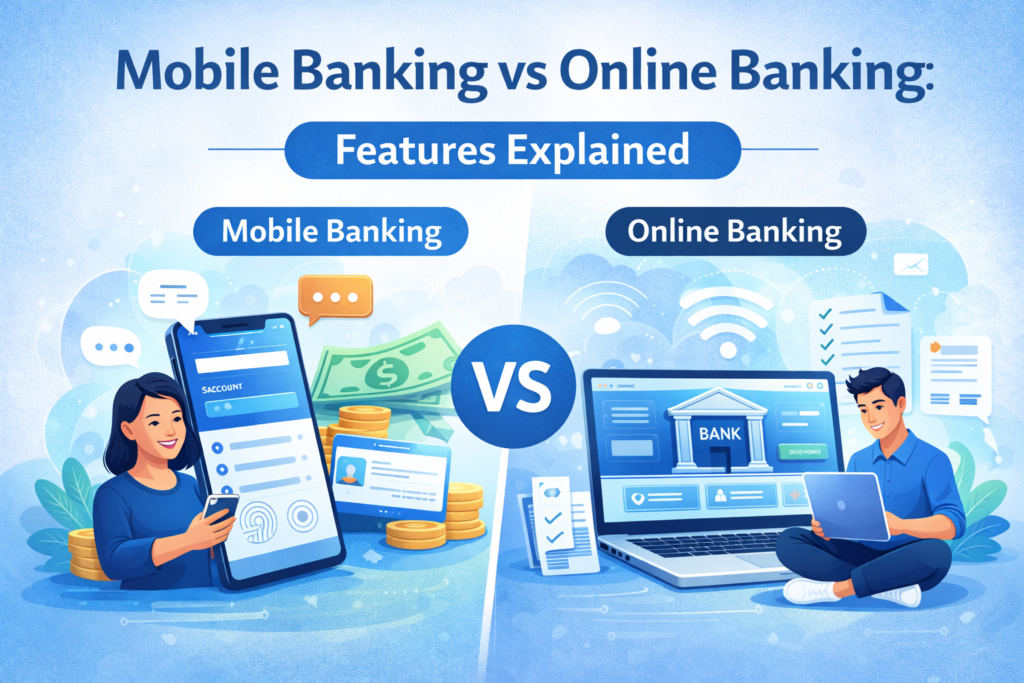
If you’ve ever checked your bank account on both your phone and your computer, you might wonder about mobile banking vs online banking– are they the same thing, or is there a difference? From what I’ve seen, this confusion is very common. The terms sound similar, which causes the mix-up, but they are not exactly interchangeable. Both mobile banking and online banking let you manage your money digitally without going to a branch, and both have become extremely popular. (In fact, a recent survey found 76% of adults use their bank’s mobile app to check balances or deposit money.) However, mobile banking and online banking refer to two different ways of banking digitally. In this guide, we’ll explain each one in simple terms, highlight their features and use cases, and help clear up when to use a banking app versus a banking website.
Table of Contents
What Is Online Banking (Internet Banking)?
Online banking (also known as internet banking or web banking) means accessing your bank account through the internet using a computer or other device with a web browser. In online banking, you log into your bank’s secure website (often from a desktop or laptop) to manage your finances. Essentially, it allows you to do almost anything you could do at a physical bank branch, but from home or anywhere you have an internet connection.
When you use online banking, you typically enter a username and password on the bank’s website to access a personal account dashboard. Once logged in, you can perform financial transactions and routine banking tasks electronically. For example, online banking lets you view your account balances at any time, transfer money between accounts, and pay bills digitally. You can often view or download electronic statements (and even print them out if needed) and see images of checks that you’ve written. Many banks also allow you to open new accounts or apply for loans and credit cards through their online banking portal.
In essence, online banking gives you a full-service banking experience through a website. It’s designed to mimic the services of a branch in a convenient online form. All you need is a device (like a computer or tablet) with a reliable internet connection and a web browser. There’s no special app required – you just navigate to the bank’s website. Because of the larger screen on PCs or laptops, online banking is often ideal for in-depth account management tasks. For instance, if you want to carefully review your monthly statements or fill out a detailed form to apply for a loan, doing it on the online banking website can feel easier due to the more spacious display and keyboard access.
Security: Online banking websites are typically encrypted and password-protected to keep your information safe. You should always make sure you’re on your bank’s official site (look for the padlock icon in the browser) and avoid logging in from public computers or unsecured Wi-Fi networks. Most banks will also have additional verification steps (like one-time codes to your phone) when you sign in on a new device, adding extra security. Overall, online banking is a well-established, secure way to manage your money digitally, as long as you follow good safety practices.
What Is Mobile Banking?
Mobile banking means accessing your bank account and services using a mobile device, usually through an official banking app on a smartphone or tablet. In other words, it’s banking on the go using an app that you download. Mobile banking allows you to perform many of the same activities as online banking, but through a mobile app interface that’s optimised for a smaller touch screen. This gives you a lot of flexibility to manage your finances anywhere, not just when you’re at a computer.
When using mobile banking, you’ll install your bank’s app from the Apple App Store or Google Play Store and log in with your credentials (often the same username/password you use for online banking). Once logged in, you can check your account balances, transfer funds, pay bills, and receive alerts right from your phone. In fact, most of the core functions of online banking are also available in the mobile app. For example, you can quickly see your recent transactions or move money between your checking and savings accounts using your phone. Mobile banking is designed for convenience – it’s like having a mini bank branch in your pocket.
Mobile banking isn’t limited to apps alone. Broadly, it can also include using a bank’s mobile-responsive website or even text message banking features. However, in practice, when people say mobile banking, they usually mean using the dedicated smartphone app provided by the bank. These apps often have additional handy features that take advantage of your mobile device’s technology. For instance, many banking apps let you deposit a check remotely by using your phone’s camera – you simply take a photo of the check within the app (a feature known as mobile check deposit). Your phone can also receive push notifications from the banking app, alerting you to things like a low balance or a suspicious transaction in real time. This instant alert capability is something unique to mobile banking apps. Additionally, mobile apps often use built-in smartphone security features – you might log in using your fingerprint or facial recognition, adding an extra layer of identity verification.
In summary, mobile banking is essentially your bank’s services packed into a smartphone app. It’s extremely convenient for everyday tasks. For example, if you’re out shopping and remember a bill is due, you can pull out your phone and pay it on the spot. If a friend needs quick repayment, you can send money immediately through the app. All of this can be done from anywhere, whether you’re at a café, on a bus, or relaxing at home, without needing a computer. As long as you have your phone and an internet or data connection, your bank is at your fingertips.
Security: Mobile banking apps are generally very secure as well. They often employ encryption and may log you out automatically if you close the app or after a short period of inactivity. As a safety tip, it’s important to download only the official banking app and keep it updated to the latest version for the best security. Also, just like with online banking, avoid using mobile banking on public Wi-Fi without proper precautions. Many people find mobile apps convenient and safe, and according to some cybersecurity experts, a mobile banking app can even be more secure than banking in a browser in certain ways (for example, less exposure to certain web-based threats). Regardless, you should still use good practices like a strong password or enabling two-factor authentication on your mobile banking app.
Mobile Banking vs Online Banking – Key Differences
Now that we’ve defined each term, let’s directly compare mobile banking vs online banking to understand their differences and why both exist. The primary difference lies in how you access the service: mobile banking is done via an app on a smartphone or tablet, while online banking is done through a web browser on any internet-connected device. This difference in access leads to some practical distinctions in experience and features:
- Device and Convenience: Mobile banking is ideal when you need to handle something on the go. Since it’s on your phone, you can bank from anywhere and typically in a very quick, thumb-tap manner. Online banking, on the other hand, is often accessed from a desktop or laptop. That makes it convenient when you’re at home or work and want to see information on a bigger screen. Neither is “better” overall – it depends on where you are and what device you have. For pure on-the-go convenience, mobile apps have the edge, whereas if you’re already sitting at a computer, using the web portal might be more comfortable.
- Features and Functionality: There is a lot of overlap in features between online and mobile banking. Both allow you to perform core banking tasks like checking balances, moving money, and paying bills. However, each platform might have a few unique capabilities. For instance, mobile banking apps often offer features that use smartphone hardware, such as the ability to deposit checks by taking a photo (a feature not available on a standard desktop website). Apps can also send you instant push notifications about account activity, which websites cannot do by themselves. On the flip side, online banking websites might offer a more comprehensive view of your finances on one screen, or support downloading data for other purposes. Some banks’ websites provide advanced tools (like detailed budgeting dashboards or tax document downloads) that may not be fully present in the mobile app. In general, a bank’s website may have a few extra functions and a wider layout, while the app streamlines the most commonly used functions for efficiency.
- User Experience: Mobile apps are designed for simplicity and speed. They often have a clean interface with big buttons and quick navigation, focusing on the most common tasks. Online banking via browser can be a bit more menu-driven or detailed, since there’s more space to show information. For example, when you log into online banking on a computer, you might see multiple account balances at once, detailed transaction histories, and various tabs for different services. In a mobile app, those details might be tucked behind taps or swipe menus to keep the screen from feeling cluttered. Also, filling out forms (like updating your address or applying for a new service) might be easier on the desktop because you have a physical keyboard and a larger view. In contrast, mobile banking shines when you need speed – e.g. quickly checking if your paycheck arrived while you’re on the move.
- Accessibility: Online banking only requires a web browser, so it can be accessed from any device (computer, tablet, smartphone) with internet access without installing anything. This means if you’re borrowing a laptop or using a public computer (with caution), you could still log in to your account via the web. Mobile banking requires you to install the bank’s app on a smartphone or tablet, which means you’re generally using your own device. Mobile apps might not work on every device (for example, you can’t use a mobile-only app on a desktop), but virtually all banks that have apps also have a web option. In practice, most users will install the app on their personal phone and use the web version on their computer; you typically have access to both with the same account login.
In short, mobile banking vs. online banking differences come down to app versus website, and portability versus a full-size interface. A helpful way to remember is: online banking = banking through the internet on a computer (or any browser), while mobile banking = banking through a dedicated app on your phone. Both give you digital access to your accounts, but the experience is a bit different.
It’s also worth noting why people sometimes confuse the two. Many banks advertise “online and mobile banking” together as part of their digital services, and from a bird’s-eye view, they accomplish the same goal: letting you bank without going to a branch. A beginner might hear both terms and assume they refer to the same thing. In everyday life, people often say “I’ll check online” even if they’re using their phone app, or vice versa. The overlap in what you can do (like transferring money either on the app or the website) also makes the distinction feel subtle. The key takeaway is that “online banking” usually refers to the web browser experience (often on a PC), while “mobile banking” refers to using a smartphone app**. Once you understand that, it becomes clearer why banks provide both options.
When to Use Each (and How They Work Together)
Most banks today offer both an online banking website and a mobile banking app to their customers. You don’t actually have to choose one or the other exclusively – you can use both depending on what’s convenient at the moment. In fact, many people regularly switch between the two. For example, you might check a notification or quickly verify a charge on your phone via mobile banking during the day, but later that week, you might sit down at your computer to reconcile your budget or download a statement via online banking.
Here are some practical scenarios of when each might be used:
- Mobile Banking Use Cases: You’re out to dinner and want to split the bill – you can pull up your banking app and use a person-to-person payment feature to pay your friend instantly. Or imagine you receive a check; rather than going to the ATM, you use your phone to snap photos of the check and deposit it through the app. If you’re travelling and need to find cash, the app can use your location to show the nearest ATM. Mobile banking is perfect for quick, everyday tasks and for situations where you’re away from a computer. It offers speed and ubiquity – your accounts are with you wherever you take your phone.
- Online Banking Use Cases: You’re doing more detailed finance work, like reviewing a year’s worth of transactions across multiple accounts to categorise expenses. Doing this on a laptop via the online banking site might be easier because you can see more data on one screen and perhaps export the data to a spreadsheet. If you want to apply for a new account or loan, you might prefer the comfort of a full keyboard and monitor to fill out forms. Online banking is also handy if you don’t have a smartphone available – say your phone is lost or out of battery, you can use a computer at a hotel or a friend’s house (securely) to log in and handle something important. Essentially, online banking is great for comprehensive management of your finances when you have time and a comfortable setup, whereas mobile is about instant access anywhere.
One thing to remember is that both methods access the same bank accounts. Your checking account balance in the mobile app is not a different account from the one on the website – it’s the same account, just viewed through different platforms. Any action you take on one (for example, transferring money or paying a bill) will reflect on the other. They sync up in real time because they are connected to the same banking system at your bank. So you might deposit a check with your phone and later see that the deposit is confirmed when you log in on your computer. In this way, online and mobile banking work together to give you a seamless banking experience.
Most beginners eventually find a comfort zone with both. Some tasks you’ll naturally gravitate to doing on your phone, and others you might save for when you’re on your computer. Neither way is wrong – they complement each other. Banks provide both options to meet customer preferences. Younger users who grew up with smartphones might rarely use the website and do everything on mobile, whereas other users feel more at ease on a computer. And plenty of people like myself use both: I personally enjoy the ease of checking my balance on my phone, but I prefer my laptop when I need to do something like download my annual statements for taxes.
Final Thoughts
For anyone new to digital banking, understanding the difference between mobile banking and online banking can remove a lot of confusion and hesitation. They are two sides of the same coin: online banking offers the full bank-at-home experience through a web browser, while mobile banking puts a lot of the same power into your hand via an app. Both are secure, convenient, and meant to make your financial life easier. Knowing when to use each one is mostly about what’s most convenient for you in the moment.
If you’re interested in learning more about using banking tools in the digital age, be sure to check out our guide on digital banking basics for a broader look at how online banking works in the modern world. This foundation can help you feel even more comfortable using both mobile and online banking as part of your daily money management.
In the end, mobile banking vs online banking isn’t a battle with a winner – they are complementary ways to bank. By understanding the features of each, you can confidently use both your bank’s website and its mobile app to take control of your finances anytime, anywhere. The flexibility of digital banking is there to serve you, whether you’re in front of a computer or on your phone on the go.