
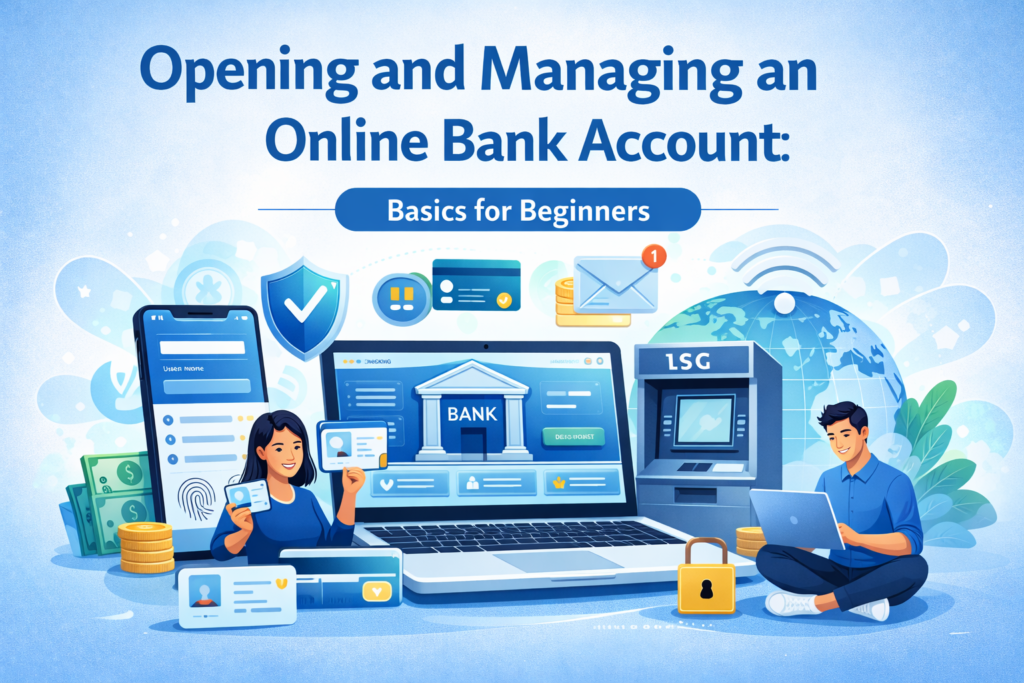
I’ve noticed many people feel nervous about opening accounts online. From what I’ve seen, this confusion is very common, especially among beginners who have never tried digital banking. The idea of handling money through a website or mobile app can sound technical and even a bit risky. I think people often overthink this part. The truth is, opening and managing an online bank account is designed to be straightforward and secure once you understand the basics.
In this article, we’ll explain what it really means to open a bank account online and what managing that account involves on a day-to-day basis. We’ll keep things high-level and beginner-friendly – no complicated technical walkthroughs or specific bank app instructions. By the end, you should feel calmer and more confident about starting your online banking journey. (If you’re curious about the bigger picture of digital banking, you can also check out our digital banking basics guide on how online banking works in the modern world.)
Table of Contents
What It Means to Open an Online Bank Account
Opening an online bank account is a lot like opening one at a branch – except you’re doing it from your computer or phone instead of in person. In simple terms, you fill out an application form on the bank’s website or app, provide some personal information, and verify your identity. The bank still needs to confirm who you are (for security and legal reasons), but you can do all of this electronically.
When you apply, you’ll be asked for basics like your full name, address, date of birth, and contact information. You’ll also need to prove your identity. Most banks will ask for a driver’s license or passport to verify your identity – if you’re applying online, you often upload a photo of your ID and maybe a selfie as well for verification. This step might sound high-tech, but I’ve found it’s usually straightforward: for example, you might use your phone’s camera to take pictures of your ID and yourself following the bank’s instructions.
Next, many banks require an initial deposit to open your new account. This is typically a small amount of money you transfer in to get started. In fact, some banks let you open with as little as around $25 (or an equivalent low amount) just to activate the account. You can usually do this by entering the details of an existing bank account or debit card to transfer funds, or by using another method the bank provides. This first deposit essentially shows the bank you’re ready to use the account.
After you’ve provided all the required information and the initial deposit (if needed), you’ll submit your application. Often, the approval is pretty fast – sometimes within minutes, you’ll get a confirmation that your new account is open. In some cases, the bank may take a bit longer to verify everything or may request an additional document if something is unclear. But overall, opening an account online is designed to be quick and convenient. There’s no need to print forms or visit a branch; you agree to the account terms with a click, and you’re all set.
Setting Up Your Online Access: Once your account is approved, the bank will guide you to set up your online banking login (if you haven’t done so already during the application). You’ll create a username and a secure password, and possibly set up additional security steps (like a verification code sent to your phone or a secret question). This login is what you’ll use to access your account through the bank’s website or mobile app. At this point, you have a fully functional bank account that you can manage online, just as you would any traditional account.
Managing Your Online Bank Account Day to Day
Managing an online bank account simply means doing your regular banking tasks through your computer or smartphone, whenever you need to. After your account is open, you can sign in to the bank’s website or app at any time to oversee your money. Here are some of the common day-to-day things you can do easily online:
- Check your balance and transactions: You can see how much money you have and review all recent deposits or payments instantly, without waiting for a monthly paper statement.
- Transfer money between accounts: With a few clicks, move money from one account to another (for example, from your checking to your savings account) or send money to someone else. This is much faster than writing a check or visiting a branch.
- Pay bills online: Set up bill payments to pay your utilities, rent, or other expenses electronically. You can usually schedule payments to go out automatically on certain dates, so you don’t have to mail checks or worry about missing due dates.
- Deposit checks with your phone: Many banking apps let you deposit a paper check by simply taking a photo of it. This means if you receive a check, you don’t need to visit an ATM or branch to deposit it – just use your phone’s camera within the app.
- Receive money with direct deposit: Have your paycheck or other income deposited directly into your online account (this is often called direct deposit). For example, you can give your employer your new account number and routing number, and your salary will go straight in – no need to pick up or deposit a physical check.
- Set up account alerts: Most online banking systems allow you to get alerts by text or email. For example, you can get a notification if your balance drops below a certain amount or when a large transaction occurs. These alerts help you keep tabs on your account in real time.
- Access statements and documents: You can view or download your monthly bank statements and other documents (like tax forms) online. This helps you stay organised without piles of paper, since all your records are in one place when you need them.
- Use your debit card and get cash: If your account comes with a debit card (most do), you can still withdraw cash at ATMs or use the card in stores as usual. An “online” bank account doesn’t mean you can’t have cash – it just means you manage the account online. You’ll get a physical or digital debit card to access money, and you can even freeze or unfreeze the card through your online account if needed.
- Contact customer support: Should you have any questions or problems, you can typically reach out to the bank through the app or website (via live chat or secure message) or by phone. Even without a physical branch, support is available to help you manage your account.
Day-to-day management of your online bank account is meant to be intuitive. In practice, it involves logging in and clicking through clearly labelled menus to do what you need. For example, if you want to transfer money, you might click a “Transfer” or “Send Money” option, enter the details, and confirm. If you’re paying a bill, you select “Bill Pay,” choose the payee and amount, and confirm the payment date. The online banking system guides you step by step, so you’re not likely to get lost. I’ve noticed that once people try these features a couple of times, they become comfortable. You might even find it more convenient than visiting a bank in person or using an ATM for many tasks.
Addressing Common Concerns About Opening and Managing an Online Bank Account
It’s completely normal to have concerns about online banking when you’re new to it. Let’s talk about a few of the common worries beginners have, and why things aren’t as scary as they might seem:
- “Is it safe to bank online?” Security is probably the number one concern. Banks know this, and they have strong measures in place to protect your money and personal information. Online banking websites and apps use encryption technology (which scrambles your data so only you and the bank can read it) to prevent hackers from seeing your information. They also often require extra verification steps like two-factor authentication – for instance, sending a one-time code to your phone – to make sure it’s really you logging in. In addition, your money in a reputable online bank is typically just as safe as in any traditional bank. As long as the bank is regulated and insured by the appropriate agency in your country (for example, U.S. accounts are insured by the FDIC up to $250,000), your deposits are protected even if something were to happen to the bank. Of course, it’s wise to do your part: use strong passwords, keep them private, and avoid doing sensitive banking on public Wi-Fi. But overall, online banking is very secure, and banks continuously monitor accounts for any suspicious activity to keep you safe.
- “What if I’m not tech-savvy and make a mistake?” This is a very common fear – that you might click the wrong thing and mess up your account. I want to reassure you that banks design their online platforms to be user-friendly, even for those who aren’t tech experts. The menus are usually clear, and the system will often ask you to confirm actions before they’re final. For example, if you schedule a payment, you’ll typically see a “Are you sure you want to do this?” message before it submits. If something doesn’t look right, you can always cancel or go back. It’s actually hard to accidentally do something disastrous with your account just by clicking around. And remember, you can start slowly. There’s nothing wrong with just logging in and looking around at first. Maybe the first few times, you only check your balance and read your recent transactions. As you get more comfortable, you can try a small transfer or set up one bill payment. You’ll build confidence with each simple task. Plus, there are plenty of resources to help if you’re unsure: banks often have FAQ sections or even tutorial videos on how to use their online banking features. And if you truly get stuck, customer service can walk you through it.
- “What if I forget my password or get locked out?” Getting locked out of an account can happen to anyone, but banks have straightforward ways to help you recover access. Typically, you can click a “Forgot Password” link on the login page and reset your password after confirming some personal details. You might get a verification code sent to your email or phone to prove it’s you, and then you can create a new password. It’s very similar to resetting the password for an email or social media account. If that doesn’t work, a quick call to the bank’s customer support will usually resolve the issue – they’ll verify your identity and help you regain access. The key point is, you’re never permanently stuck just because you forgot a password. Banks know this happens and have procedures in place to get you back in securely.
- “I’m worried about not having a branch to go to. What if I need help or want to talk to someone?” Many people are used to the comfort of being able to walk into a bank and speak with a teller or manager. With online banking, you can’t physically do that, but it doesn’t mean you’re without support. Online banks (and traditional banks that offer online services) provide multiple ways to get help. You can call a customer service number to speak with a representative – often 24/7 – if you have an issue or question. Most banking apps and websites also have a live chat feature or at least a secure messaging option, where you can type out your question and get assistance. In my experience, these support teams are very good at handling common issues quickly, and you don’t have to drive anywhere or wait in line. If your question is about how to do something online, they can guide you through it step by step. If it’s about an issue (say, you spot a charge you don’t recognise), they can investigate and help fix it, just like a branch employee would. Some purely online banks even partner with certain stores or networks to let you do things like deposit cash or use ATMs without fees, so almost everything you might need is covered. The bottom line: even without a branch, you won’t feel abandoned – there’s always someone a phone call or click away to support you.
- “Are there extra fees or risks with an online account?” Managing your account online doesn’t inherently add fees or risks; it’s just a different way of accessing your account. You should be aware of the normal fees that any bank account might have (for example, monthly maintenance fees or ATM fees), but those will be clearly stated by the bank, and they apply whether you manage the account online or in person. In fact, many online-focused accounts have fewer fees because the banks save money by not operating branches. As long as you understand your account’s basic rules (like minimum balance requirements to avoid fees, or what happens if you spend more than you have), you won’t encounter surprises. One advantage of online banking is that it can help you avoid certain fees – since you can check your balance anytime and get low-balance alerts, you’re less likely to overdraft by mistake. And if you ever see a fee and you’re not sure why it was charged, you can usually find the explanation in your online statement or ask the bank’s support for clarification. There’s also no extra risk of losing money just because your account is online. Reputable banks are insured and have fraud protection. If an unauthorised transaction does happen, online banks will investigate and often reimburse you just like a traditional bank would. In short, an online account follows the same rules as any bank account; the big difference is the convenience in how you manage it.
In summary, these concerns are very common, but banks have made online banking as worry-free as possible. Millions of people manage their accounts online every day, and banks have had years to refine these systems to be safe and easy to use. I’ve noticed that once beginners see how convenient it is, their worries start to fade away. And remember, you’re never alone in this – the bank’s support and safeguards are there to help if you need them.
Why Online Account Management Is So Convenient
The big reason online banking has become so popular is that it’s incredibly convenient. The entire system is designed to save you time and effort. Here are a few reasons why managing your bank account online can make your life easier:
- 24/7 access: You can log into your account anytime, whether it’s early morning or midnight, weekday or weekend. You’re not limited by bank business hours. If you suddenly wonder about your balance or need to transfer money while travelling, you can do it right away.
- No more waiting in line: Think about the tasks that used to require a trip to the bank – depositing a check, transferring funds, asking about a transaction. With an online account, you can do all of that from home (or anywhere) in minutes. No driving, no parking, no waiting for a teller. For example, depositing a check with a mobile app can take only a minute or two, compared to possibly half an hour or more of errands if you went in person.
- Instant insights into your finances: Online banking gives you real-time information. As soon as money goes in or out of your account, you can see it. This up-to-the-minute view helps you stay on top of your finances. You’re always aware of what’s happening with your money, which means fewer surprises. It’s easier to budget and track spending when you can check your balance any time.
- Automation and control: Online account management lets you automate routine tasks and still stay in control. You can set up automatic bill payments or schedule transfers to your savings account each month. This means you have fewer things to remember, and you’re less likely to miss a payment. At the same time, if you need to change something, you can log in and adjust it with a few clicks. You’re in charge of your account 24/7.
- Organised and eco-friendly: Since everything is digital, you cut down on paperwork. No more piles of bank statements in the drawer – they’re all available online whenever you need them. This not only reduces clutter, but also is more environmentally friendly (less paper being used). Plus, digital records are searchable, which makes it easy to find a past transaction without digging through files.
- Bank from anywhere: Because your account is online, you’re not tied to any one location. If you move to a new city or even another country, you can still access and manage your account as long as you have an internet connection. This is great for students, freelancers, or anyone who travels often. Your bank goes with you wherever you go.
The whole point of online banking is to let you manage your money on your schedule. It’s banking designed to fit into your life, rather than you arranging your life around the bank’s hours. I’ve heard many people say that once they got used to online account management, they never wanted to go back to the old way of doing things. It can truly save you time and give you more control over your finances.
Wrapping Up: If you were feeling anxious about leaping into digital banking, I hope this overview has made things clearer and more reassuring. For beginners, opening and managing an online bank account doesn’t have to be intimidating. It really comes down to a few simple steps to open the account, and then using handy online tools to take care of everyday tasks. Banks have put a lot of effort into making online banking safe and easy to use, so that everyone – even those who aren’t tech-savvy – can benefit from the convenience. In my experience, the hardest part is just getting started. Once you see how convenient it is, you’ll likely wonder why you didn’t try it sooner. Remember, it’s okay to start slow, explore your bank’s app or website at your own pace, and ask questions if you need help. With a bit of practice, opening and managing an online bank account will feel like second nature, and you’ll be enjoying the freedom and simplicity of managing your money online. Happy banking!
For a broader overview of digital banking (like how online transactions and security work behind the scenes), be sure to read our companion guide on digital banking basics for more insight into how online banking works in the modern world.